
7-Minute Read
Most Ontario business owners are juggling over 100 passwords, but their shortcuts are putting the company at risk. This guide reveals why insecure password habits are a ticking time bomb for your business and shows you the simple, affordable solution that can prevent a costly data breach.
Here’s the uncomfortable truth about your passwords: you’re probably terrible at managing them. And honestly? You’re not alone.
Most Ontario business owners are juggling over 100 online accounts, and 70% feel overwhelmed by password tracking. Yet only 36% actually use a dedicated password manager, which means the vast majority are playing a dangerous game of digital Russian roulette with their business.
If you’re still clicking “Save Password” in Chrome or trying to remember variations of your dog’s name plus your birth year, this guide will show you exactly why that’s putting your business at risk and what to do about it.
Why Relying on Browser Storage Alone Is Risky
You might think using your browser’s password saving feature is convenient, but it’s a huge security risk. Over half of Canadian adults use browser storage, which is like leaving your business keys in an unlocked car with a sign pointing to them.
Why is browser storage so vulnerable?
Malware knows exactly where to look
Password-stealing software is specifically designed to raid Chrome, Edge, Safari, and Firefox. Malware on any device can steal browser-saved passwords with ease.
One compromised device exposes everything
If one device (like your phone or laptop) is compromised, all synced passwords are vulnerable.
Browsers can't tell real sites from fakes
Your browser may autofill passwords on a phishing or fraudulent website that looks identical to the real thing.
Encryption is minimal
Your passwords are not stored in a highly encrypted vault. And there’s generally no alert if your passwords are leaked elsewhere.
Limited control
There’s limited control over sharing or auditing credentials for workgroups or families.
CASE STUDY
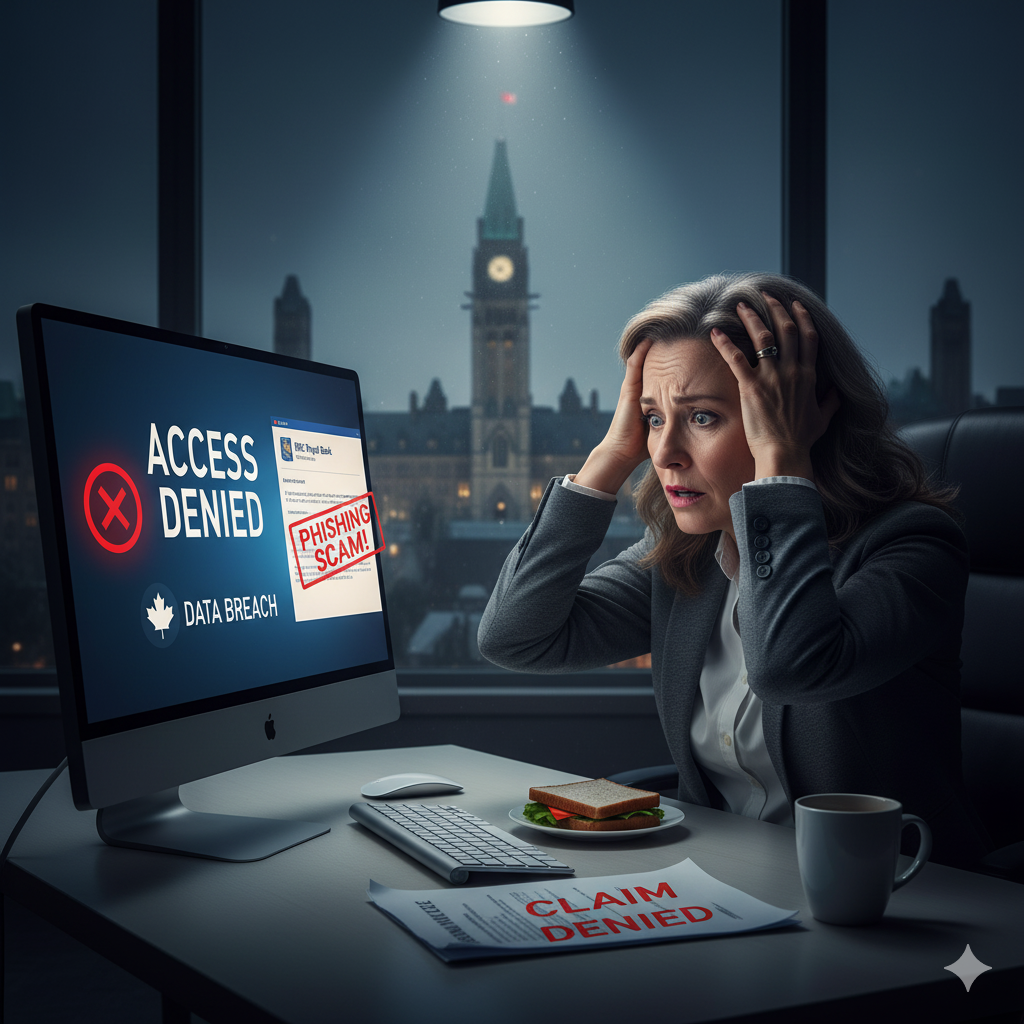
Meet Sarah: The Ottawa Business Owner Who Found Out the Hard Way
Sarah runs a successful catering business in Ottawa. She considered herself pretty tech-savvy and used Chrome’s password manager because it was convenient.
Then came the email that looked exactly like it was from RBC, same logo, same green “secure” lock icon. Chrome automatically filled in her banking password because the fake site was designed to fool both her and her browser.
Within hours, criminals had transferred $31,000 from her operating account. When she filed a claim, her business insurance company asked if she was using a dedicated password manager. When she said no, they explained that browser storage doesn’t meet their security standards.
A real password manager would have refused to autofill on the fake site. Chrome couldn’t tell the difference.
Why Password Managers Offer Superior Protection
Unlike browsers, modern password managers are built from the ground up for security and offer notable advantages:
Military-grade encryption
Passwords are stored in a highly encrypted vault (AES-256), accessible only with your master password and multi-factor authentication.
Phishing protection
Password managers won’t autofill credentials on a fake URL, even if the website looks identical.
Audit and breach alerts
They notify you if passwords are weak, reused, or have been found in a recent security breach.
Platform-neutral
Apps and browser extensions work with Windows, macOS, Linux, iOS, and Android—plus all major browsers.
Automation and organization
Generate, store, and update hundreds of unique passwords, no more reuse or manual tracking.
Easy importing/exporting
Most managers allow you to move credentials from browsers or other vaults, making switching easy.
Security Risks
Malware Attacks
Are you storing passwords in your browser? You’re vulnerable to automatic extraction.
Phishing Scams
Can you spot a fake CRA or banking website? Your browser can’t.
Insurance Gaps
Does your business insurance cover password-related breaches? Many policies require “adequate cybersecurity,” and browser storage often doesn’t qualify.
Quick Security Check
How do you currently manage passwords?
A) I use Chrome/Edge/Safari password saving
B) I reuse the same password everywhere
C) I try to remember or save them in Excel
D) I use a dedicated password manager
See Answer
Answer: D – If you picked A, B, or C, you’re not alone, but you are at risk. A staggering 78% of people reuse passwords, and 29% had their credentials stolen just in the past year. Don’t become another statistic.
Our Recommended Business Solutions: 1Password & LastPass
While many password managers exist, after working with dozens of Ontario small businesses, we consistently recommend two solutions that deliver the best combination of security, usability, and business features.
1Password Business
Best for businesses of all sizes that need top-tier security and usability. Its dual-layer encryption and robust features make it a leader in the industry. It’s user-friendly, works flawlessly with Canadian banking sites, and offers comprehensive audit logs for compliance.
LastPass Business
Ideal for cost-conscious businesses needing professional features. It provides a strong, user-friendly platform with excellent sharing capabilities for teams, dark web monitoring, and extensive identity provider integrations for streamlined management.
Note: Both companies also offer individual plans if you’re a solo business owner—check their websites for current pricing.
The Cost of Waiting
Think a password manager is an unnecessary cost? Let’s compare the numbers.
The Investment: A business plan costs about $8.50-$9 CAD per user per month. For a 5-person business, that’s around $510-$540 per year.
The Breach Reality: The average small business data breach in Canada costs a staggering $334,000. That doesn’t even include the weeks of downtime, lost client trust, or potential denial of an insurance claim.
That’s right: The average breach costs more than 60 years of password manager fees.
The Bottom Line: How CinnTech Can Help
In 2025, managing passwords in your browser is like leaving your business keys in an unlocked car. It’s convenient, until it’s catastrophic. The numbers are clear: password managers aren’t just safer, they’re essential for protecting your Ontario business.
Don’t wait until stolen credentials cost your business everything. Make the switch today.
Sources
- Security.org, “2024 Password Manager Industry Report and Statistics”
- Canada.ca, “Password Guidance”
- Securden, “1Password vs LastPass”
- Cybernews, “Are Password Managers Safe in 2025?”
- Keeper Security, “Why You Should Use a Password Manager”
- Chapman University, “Why Storing Passwords in a Web Browser is Risky”
- PCMag, “The Best Password Managers”
- CNET, “Best Password Manager”
- TechRadar, “Best password manager of 2025”
- IBM, “Cost of a Data Breach Report 2024”


